 Ashutosh Nayak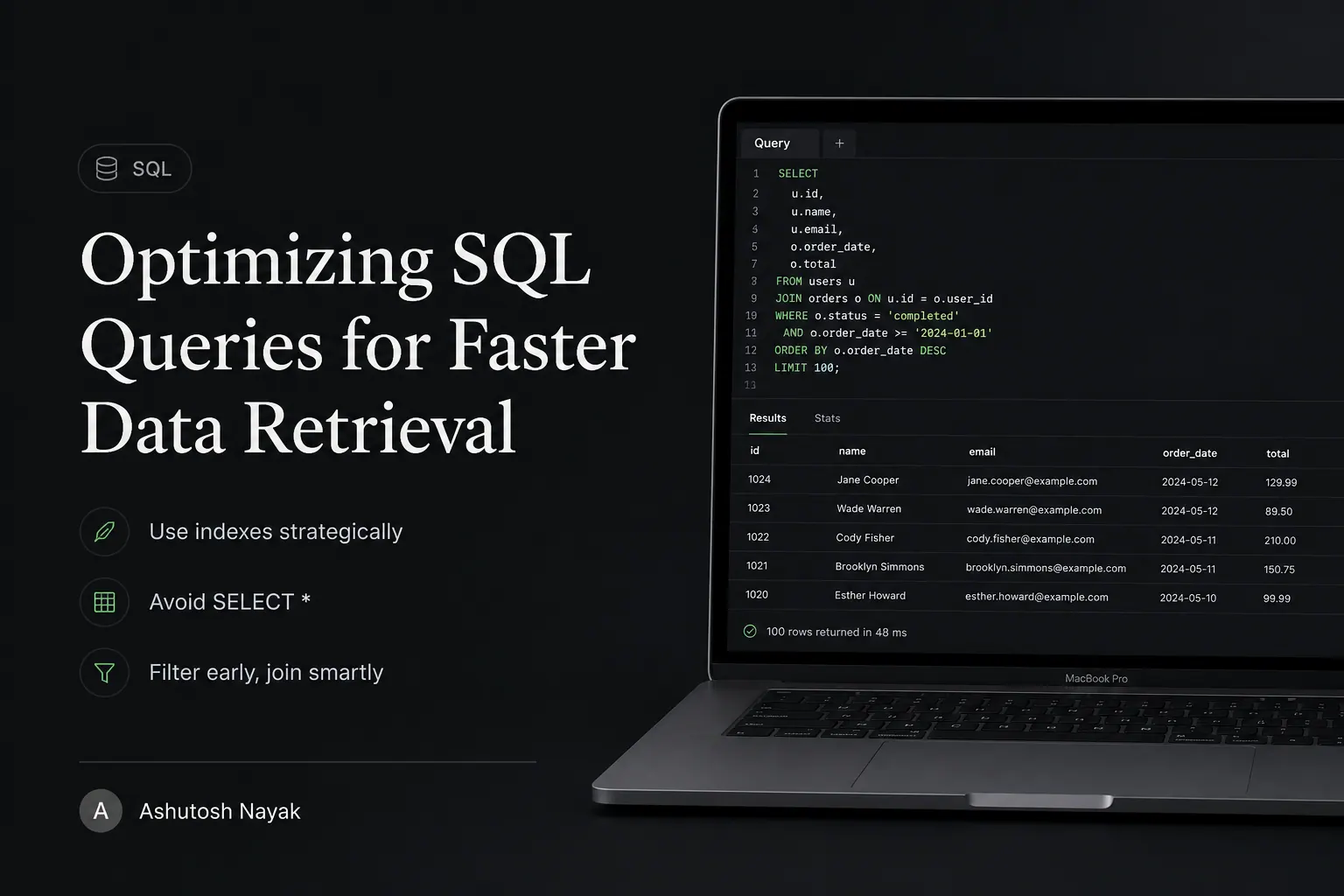
Introduction: The Hidden Cost of Slow Queries
In the world of data-driven applications, speed is paramount. Whether you're powering an e-commerce platform, a business intelligence dashboard, or a complex ERP system like ERPNext, the efficiency of your database queries can be the difference between a seamless user experience and frustrating delays. Slow SQL queries are not just an annoyance; they can lead to increased server load, higher operational costs, and ultimately, lost revenue. As an AI & ML Engineer and ERPNext Developer, I've seen firsthand how even minor query inefficiencies can cascade into significant performance bottlenecks. This post will delve into practical, actionable strategies to optimize your SQL queries, ensuring your data retrieval is as swift and efficient as possible.
Understanding Query Execution Plans
The first step to optimizing any SQL query is understanding how the database intends to execute it. This is where the EXPLAIN (or EXPLAIN PLAN in some dialects) command comes into play. Running EXPLAIN before your SELECT, UPDATE, or DELETE statement will show you the execution plan – the step-by-step process the database optimizer chooses to retrieve or modify your data.
Key elements to look for in an execution plan include:
- Table Scan vs. Index Scan: A full table scan means the database has to read every single row in a table. An index scan means it can use an index to quickly locate the relevant rows. Index scans are almost always preferable.
- Join Order: The order in which tables are joined can drastically affect performance. The optimizer tries to pick the best order, but sometimes hints or query rewrites are needed.
- Temporary Tables: The creation of temporary tables can be expensive, especially if they are large.
- Sorting: Explicit
ORDER BYclauses or implicit sorting required for operations likeGROUP BYcan be costly.
By analyzing these plans, you can pinpoint the exact operations that are slowing down your queries.
The Power of Indexing
Indexing is arguably the most effective technique for speeding up SELECT queries. An index is a data structure that improves the speed of data retrieval operations on a database table. Think of it like an index in a book; instead of reading the entire book to find a specific topic, you use the index to jump directly to the relevant pages.
When to Use Indexes:
- Columns used in
WHEREclauses: If you frequently filter your data based on a specific column, indexing that column is crucial. - Columns used in
JOINconditions: Indexes on foreign key columns and the primary key columns they reference significantly speed up joins. - Columns used in
ORDER BYandGROUP BYclauses: Indexes can sometimes help avoid costly sorting operations.
Considerations:
- Don't Over-Index: While indexes improve read performance, they add overhead to write operations (
INSERT,UPDATE,DELETE) because the index itself needs to be updated. They also consume disk space. Only index columns that are frequently queried or joined. - Composite Indexes: For queries that filter on multiple columns (e.g.,
WHERE col1 = 'A' AND col2 = 'B'), a composite index on(col1, col2)can be highly beneficial. The order of columns in a composite index matters. - Index Maintenance: Indexes can become fragmented over time, reducing their effectiveness. Regular maintenance, such as rebuilding or reorganizing indexes, might be necessary.
Writing Efficient SQL Queries
Beyond indexing, the way you write your SQL can have a profound impact. Here are some best practices:
1. Select Only Necessary Columns
Avoid using SELECT *. Explicitly list the columns you need. This reduces the amount of data the database has to read from disk and transfer over the network. It also makes your queries more resilient to schema changes.
2. Optimize JOIN Operations
- Use Appropriate Join Types: Understand the difference between
INNER JOIN,LEFT JOIN,RIGHT JOIN, andFULL OUTER JOINand use the one that correctly reflects your data relationship and requirements. - Join on Indexed Columns: As mentioned earlier, ensure join columns are indexed.
- Filter Before Joining: If possible, filter rows in individual tables before joining them. This reduces the number of rows that need to be processed during the join.
3. Use WHERE Clauses Effectively
- Be Specific: The more specific your
WHEREclause, the fewer rows the database needs to examine. - Avoid Functions on Indexed Columns: Applying functions to indexed columns in a
WHEREclause (e.g.,WHERE YEAR(order_date) = 2023) often prevents the database from using the index. Instead, rewrite it to be SARGable (Search ARGument Able):WHERE order_date >= '2023-01-01' AND order_date < '2024-01-01'. - Use
EXISTSvs.IN(Sometimes): For subqueries,EXISTScan sometimes be more performant thanIN, especially if the subquery returns many rows. Test both to see what works best for your specific database and query.
4. Minimize Subqueries and CORRELATED Subqueries
Subqueries can be powerful, but they can also be performance killers, especially correlated subqueries (subqueries that reference columns from the outer query). Often, subqueries can be rewritten as JOINs or Common Table Expressions (CTEs), which are generally more optimized.
5. Optimize GROUP BY and ORDER BY
- Limit Results: If you only need a subset of grouped or ordered results, use
LIMIT(or equivalent) to reduce the data processed. - Use Indexes: As mentioned, indexes can help avoid sorting.
- Filter Before Aggregating: Apply
WHEREclauses beforeGROUP BYto reduce the number of rows to aggregate.
Advanced Techniques
1. Denormalization (with caution)
In highly read-intensive scenarios, sometimes denormalizing parts of your database (introducing some data redundancy) can significantly speed up complex queries by avoiding expensive joins. This is a trade-off, as it complicates writes and data consistency, so it should be applied judiciously.
2. Database-Specific Features
Different database systems (PostgreSQL, MySQL, SQL Server, etc.) have their own unique features and optimization hints. For instance, PostgreSQL offers features like partial indexes, expression indexes, and VACUUM for maintenance. Familiarize yourself with the specific capabilities of your database.
3. Caching
Implementing caching strategies at the application layer can dramatically reduce the load on your database for frequently accessed, relatively static data. This isn't strictly SQL optimization, but it complements it effectively.
Conclusion: A Continuous Process
Optimizing SQL queries is not a one-time task but an ongoing process. Regularly monitor your database performance, analyze slow queries using EXPLAIN, and refactor your SQL as needed. By applying the techniques discussed – understanding execution plans, leveraging indexing effectively, writing clean and specific SQL, and exploring advanced strategies – you can ensure your data retrieval is performant, scalable, and cost-effective. For professionals working with systems like ERPNext, where data integrity and speed are critical, mastering these SQL optimization skills is invaluable.
Related articles

Leveraging SQL for Smarter Data Analysis in ERPNext
Unlock the full potential of your ERPNext data. Learn how to use SQL for advanced analysis, uncovering insights beyond standard reports.

Unlocking ERPNext Insights with Advanced SQL Queries
Go beyond basic ERPNext reporting. Learn advanced SQL techniques to extract deeper insights and drive better business decisions from your ERP data.

Beyond Simple Queries: Advanced SQL for Business Insights
Unlock deeper business intelligence with advanced SQL techniques. Learn to go beyond basic queries for more powerful data analysis.
Get new articles in your inbox
Occasional writing on AI, ERP and data analytics — no spam, unsubscribe any time.