 Ashutosh Nayak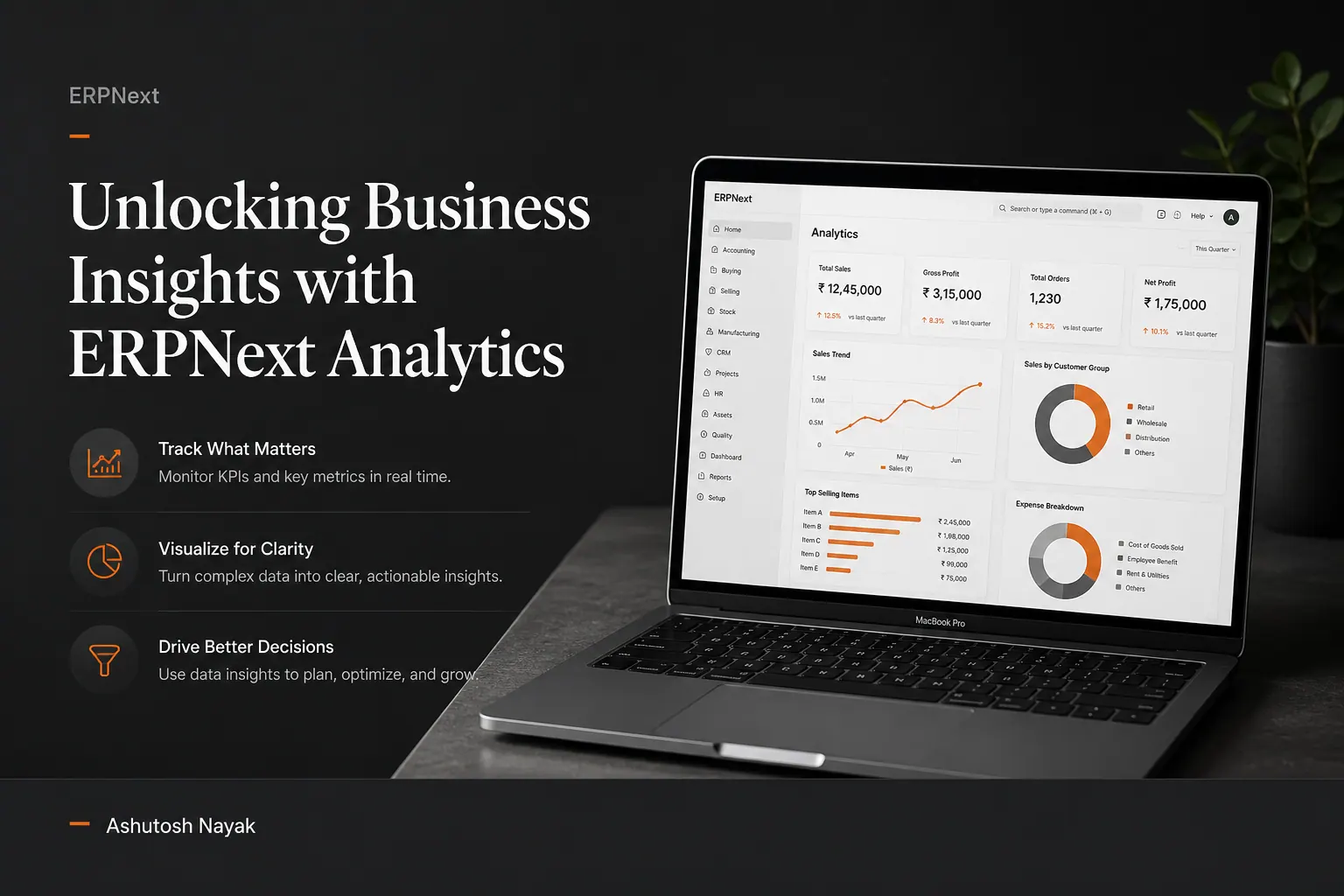
The Power of Data in Business Decision Making
In today's competitive landscape, data is no longer just a byproduct of business operations; it's a strategic asset. Businesses that can effectively collect, analyze, and act upon their data gain a significant advantage. This is especially true for organizations using integrated systems like ERPNext, which house a wealth of information across sales, finance, inventory, and customer relations.
While ERPNext provides robust reporting functionalities out-of-the-box, simply generating standard reports is often not enough. True insight comes from digging deeper, connecting the dots between different data points, and understanding the 'why' behind the 'what.' This blog post will explore how you can unlock the full potential of ERPNext's analytics capabilities to drive more informed and effective business decisions.
Moving Beyond Standard Reports: The Analytics Mindset
Standard reports in ERPNext, such as the Sales Register, Profit and Loss Statement, or Stock Ledger, are essential for operational oversight. They provide a snapshot of performance and adherence to processes. However, they typically present data in a predefined format, limiting the scope for ad-hoc exploration and nuanced analysis.
The analytics mindset shifts the focus from what happened to why it happened and what is likely to happen next. It involves:
- Connecting disparate data points: Understanding how sales trends influence inventory levels, or how customer support interactions impact repeat purchase rates.
- Identifying patterns and anomalies: Spotting seasonal fluctuations, unusual spikes in costs, or emerging customer segments.
- Forecasting and predictive analysis: Using historical data to anticipate future demand, optimize stock levels, or predict customer churn.
- Visualizing data: Transforming raw numbers into intuitive charts and dashboards that make complex information easily digestible.
Leveraging ERPNext's Built-in Analytics Features
ERPNext, built on the Frappe framework, offers several powerful features that can be leveraged for advanced analytics, even without extensive custom development.
1. Report Builder and Custom Reports
While standard reports are pre-built, the Report Builder is your gateway to creating custom reports tailored to your specific needs. This feature allows you to select tables, define columns, apply filters, group data, and even add calculated fields. For example, you could create a report that shows:
- Customer Lifetime Value (CLV) by acquisition channel: Analyze which marketing efforts bring in the most valuable customers over time.
- Product profitability by region and salesperson: Identify top-performing products and sales representatives in different geographical areas.
- Inventory turnover rate by warehouse and item group: Optimize stock management by understanding which items are moving quickly and which are not.
The ability to save and share these custom reports makes them accessible to the relevant stakeholders, fostering a data-driven culture. For more complex reporting requirements that go beyond the Report Builder's capabilities, custom scripts can be written within the Frappe framework, offering even greater flexibility.
2. Dashboards: Visualizing Key Performance Indicators (KPIs)
Dashboards are central to modern business intelligence. ERPNext allows you to create highly customizable dashboards by adding various types of cards, charts, and reports. This is where you can consolidate your most critical KPIs into a single, intuitive view.
Consider creating dashboards for:
- Sales Performance: Track daily sales, top-selling products, pipeline value, and conversion rates.
- Financial Health: Monitor cash flow, outstanding invoices, expense trends, and profitability.
- Inventory Management: Visualize stock levels, low-stock alerts, aging inventory, and warehouse utilization.
- Customer Service: Track ticket resolution times, customer satisfaction scores, and common support issues.
The real power of ERPNext dashboards lies in their interactivity. Many chart types allow users to drill down into the underlying data, providing immediate context and enabling quick investigation of any performance dips or unexpected trends.
3. Data Import Tool and Analysis
While ERPNext excels at internal data, you might need to integrate external data sources for comprehensive analysis (e.g., market research data, social media analytics). The Data Import Tool is a versatile feature that allows you to import data from CSV or Excel files into various DocTypes. This enables you to combine internal ERPNext data with external datasets for richer analysis.
Once data is imported, you can use ERPNext's reporting and dashboard features to analyze it alongside your operational data. For instance, you could import competitor pricing data and compare it against your own sales performance by region.
4. Role-Based Access and Security
Effective analytics also requires ensuring that the right people have access to the right information. ERPNext's robust role-based permission system ensures that users can only view and interact with the data relevant to their roles and responsibilities. This maintains data integrity and prevents sensitive information from being exposed inappropriately.
Advanced Analytics Techniques with ERPNext Data
While ERPNext provides the foundation, integrating its data with more specialized analytical tools can unlock even deeper insights.
1. Business Intelligence (BI) Tools
Tools like Tableau, Power BI, or even open-source alternatives like Metabase can connect directly to your ERPNext database (typically MariaDB or PostgreSQL). This allows you to build sophisticated dashboards, perform complex data modeling, and leverage advanced visualization techniques that go beyond what's natively possible in ERPNext. You can create interactive reports that allow users to slice and dice data in real-time, uncover hidden correlations, and build predictive models.
2. Python and Data Science Libraries
For organizations with data science capabilities, extracting data from ERPNext (often via SQL queries or API) and analyzing it with Python libraries like Pandas, NumPy, Scikit-learn, and Matplotlib offers immense possibilities. This is ideal for:
- Predictive Maintenance: Analyzing sensor data or maintenance logs to predict equipment failures.
- Customer Segmentation: Using clustering algorithms to group customers based on purchasing behavior and demographics.
- Sales Forecasting: Building time-series models (e.g., ARIMA, Prophet) for more accurate sales predictions.
- Anomaly Detection: Identifying fraudulent transactions or unusual operational patterns.
3. SQL for Deep Dives
For those comfortable with SQL, directly querying the ERPNext database provides the ultimate flexibility. You can write complex joins across multiple tables, perform aggregations, and extract precisely the data needed for specific analytical tasks or for feeding into external BI tools or Python scripts. Understanding the underlying Frappe database schema is key here, but the power of direct SQL access is undeniable for complex, custom analysis.
Building a Data-Driven Culture
Implementing advanced analytics is not just about technology; it's about fostering a culture that values and uses data for decision-making. This involves:
- Training: Equipping your team with the skills to understand and interpret data.
- Accessibility: Making relevant data and insights easily accessible through dashboards and reports.
- Collaboration: Encouraging cross-departmental discussions based on data findings.
- Actionability: Ensuring that insights are translated into concrete business actions and strategies.
Conclusion
ERPNext is more than just an operational system; it's a rich source of business intelligence. By moving beyond standard reports and embracing a more analytical mindset, you can harness the platform's built-in features and integrate it with external tools to gain a profound understanding of your business. Whether through custom reports, interactive dashboards, BI tools, or Python scripts, the data within ERPNext holds the key to unlocking efficiency, driving growth, and achieving a sustainable competitive advantage. Start exploring your data today, and transform insights into action.
Related articles

From Data Silos to Strategic Insights: ERPNext & Python Power
Learn how to break down ERPNext data silos using Python and Pandas to unlock actionable business insights and drive strategic decision-making.

Mastering ERPNext Reporting: Beyond Standard Reports
Unlock the full potential of ERPNext reporting. Learn advanced techniques and custom solutions for deeper business insights.
Empowering ERPNext with Custom AI-Driven Insights
Learn how to integrate custom AI models into ERPNext to unlock advanced business insights and automate complex decision-making processes.
Get new articles in your inbox
Occasional writing on AI, ERP and data analytics — no spam, unsubscribe any time.